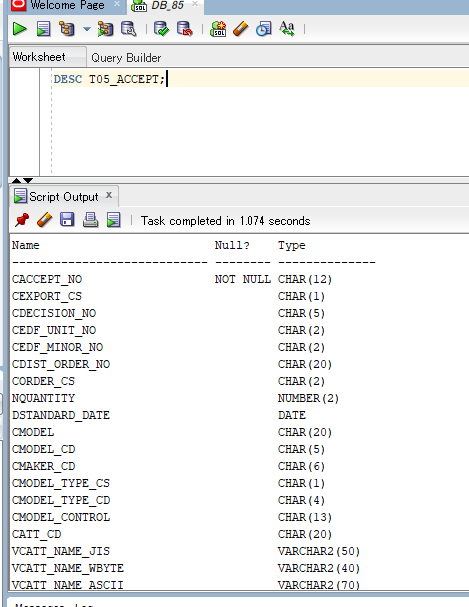
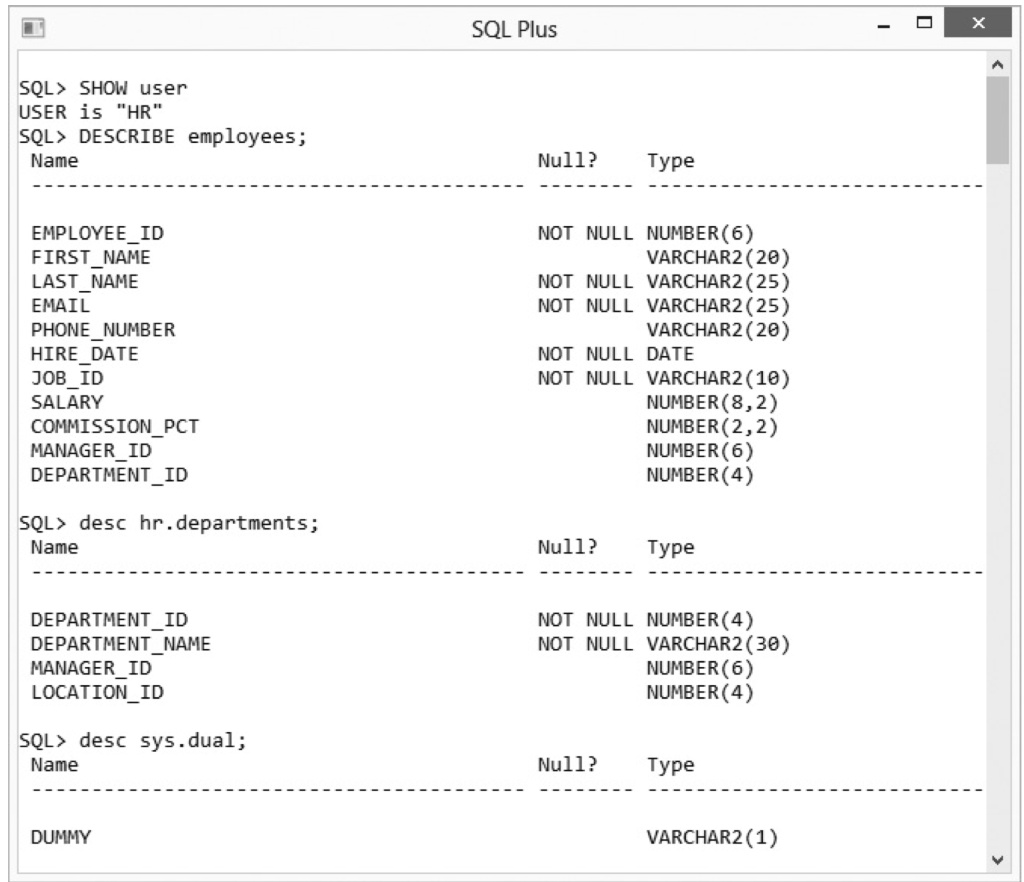
1. DESCRIBE
| DESCRIBE table; DESC table; |
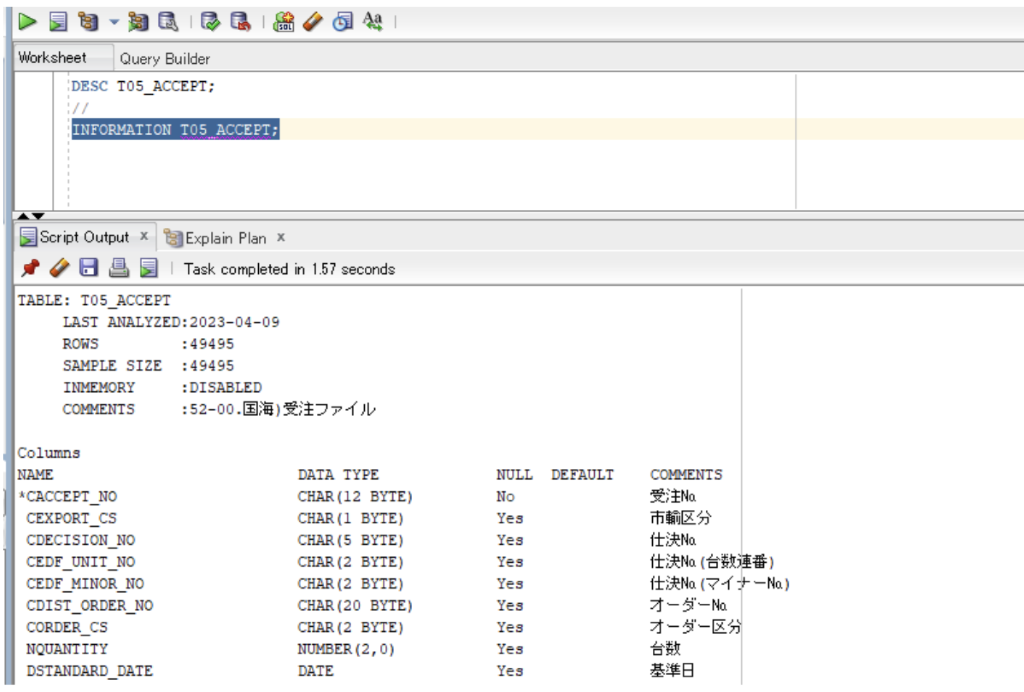
2. INFORMATION
| INFORMATION table; INFO table; |
3. SQL Statement Basics – Câu lệnh SQL cơ bản
SQL Statement Basics
–> Không yêu cầu phải viết thường hay viết hoa
Note: “/” là dùng trong PL/SQL
Ví dụ:
| BEGIN DBMS_OUTPUT.PUT_LINE(‘Hello, World!’); END; / |
Several examples of SQL*Plus statements follow:
| SELECT country_name, country_id, region_id FROM countries; |
| SELECT city, location_id, state_province, country_id FROM locations / |
5. In SQL*Plus, you have to write semicolons at the end of each SQL statements.
Sql plus chạy lệnh command
6. There need to be at least one space between the commands
| SELECT statement SELECT statement is used to retrieve data from the database. SELECT * | {column_name1, column_name,..} FROM table; |
Example:
| SELECT * from table; |
| SELECT {[DISTINCT] column|expression [alias],…} FROM table; |
4. Column alias
| SELECT first_name name FROM table; |
| SELECT first_name AS name FROM table; |
5. DUAL
| SELECT * FROM dual; –> result: dummy (COLUMN NAME): X Eg: SELECT ‘I’m A’ as “Output” FROM dual; |
| SELECT q'[My Name is Steven]’ my_text FROM dual; Eg: SELECT q'[I’m A]’ as “Output” FROM dual; |
–> Trong trường hợp nội dung câu 1 có kí tự đặc biệt. q'[nội_dung]’
Result:
| Output |
| I’m A |
6. DISTINCT >< UNIQUE
They are used to eliminate the duplicate rows.
| SELECT DISTINCT Job_id FROM Employees; |
–> Trả về các giá trị Unique, các giá trị bị lặp lại bị loại trừ
| SELECT distinct first_name FROM employees; |
| SELECT unique first_name FROM employees; |
| SELECT distinct job_id, distinct department_id FROM employees;–Error |
| SELECT distinct job_id, department_id FROM employees; |
| SELECT distinct job_id FROM employees; |
| SELECT distinct job_id, department_id, first_name FROM employees; |
| SELECT job_id, distinct department_id, first_name FROM employees;–Error |
You need to login in order to like this post: click here
YOU MIGHT ALSO LIKE

SUBSCRIBE TO OUR NEWSLETTER