After completing this unit, you’ll be able to:
The AI-powered Inline Autocompletions tool makes your development experience easier and more efficient. It works with Apex and LWC (JavaScript, CSS, and HTML) files. Inline Autocomplete suggests code completions for you within your editor, so you don’t spend time searching for the right syntax. While it’s at work, a tiny sparkle ✨ in your editor lets you know that Agentforce is getting ready to come up with suggestions. Just browse the handful of code suggestions and accept the one that works best for you.
When writing code, you’re often doing things like assigning variable values to an SObject such as Account.name = 'abc' in Apex, or writing SOQL to query for product attributes. Pause the cursor in your code and watch Agentforce Vibes suggest a completion and fill out the remaining code in grayed (ghost) text.
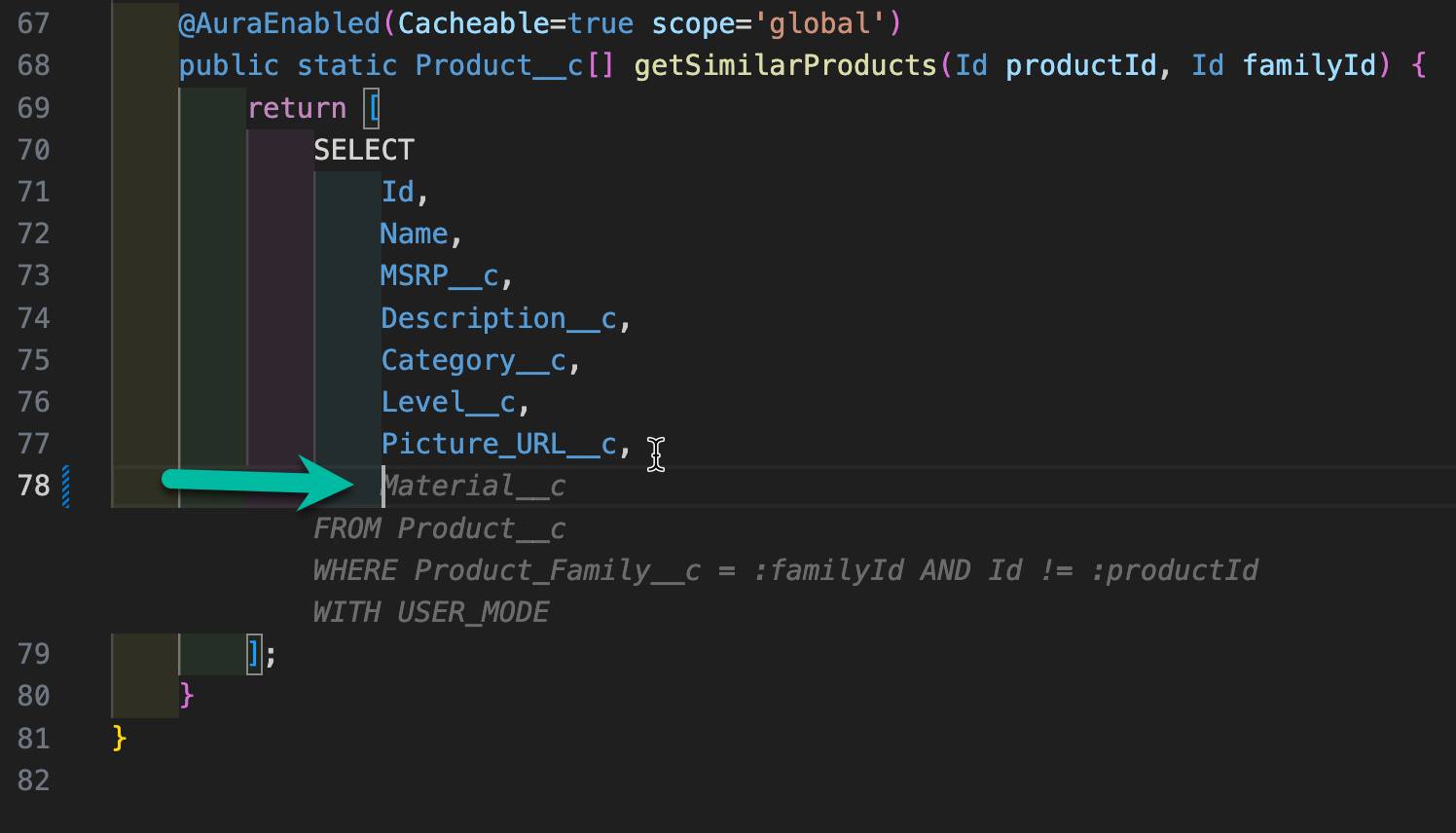
You can also manually trigger an autocomplete using the Option (⌥)\ hotkeys for Mac and Alt+\ for windows. To view other hotkeys, go to Settings | Keyboard Shortcuts and search for Agentforce.
If you’re an Apex programmer, you know the rules: Unit tests must cover at least 75% of your Apex code. All of those tests must pass before you can make your code available or package it for AppExchange. Agentforce revolutionizes test creation by understanding your code context and automatically generating comprehensive test suites that cover various scenarios, edge cases, and business logic requirements.
Simply chat with Agentforce using natural language to create complete test suites. Here are powerful ways to use Agentforce for testing.
Agentforce understands your existing codebase and testing patterns. When you ask for tests, Agentforce automatically:
As your code evolves, Agentforce can continuously enhance your test coverage by analyzing code changes and suggesting new test scenarios, ensuring your test suite remains robust and comprehensive.
You need to login in order to like this post: click here
YOU MIGHT ALSO LIKE

SUBSCRIBE TO OUR NEWSLETTER